
26AS TDS reconciliation, deductor by deductor
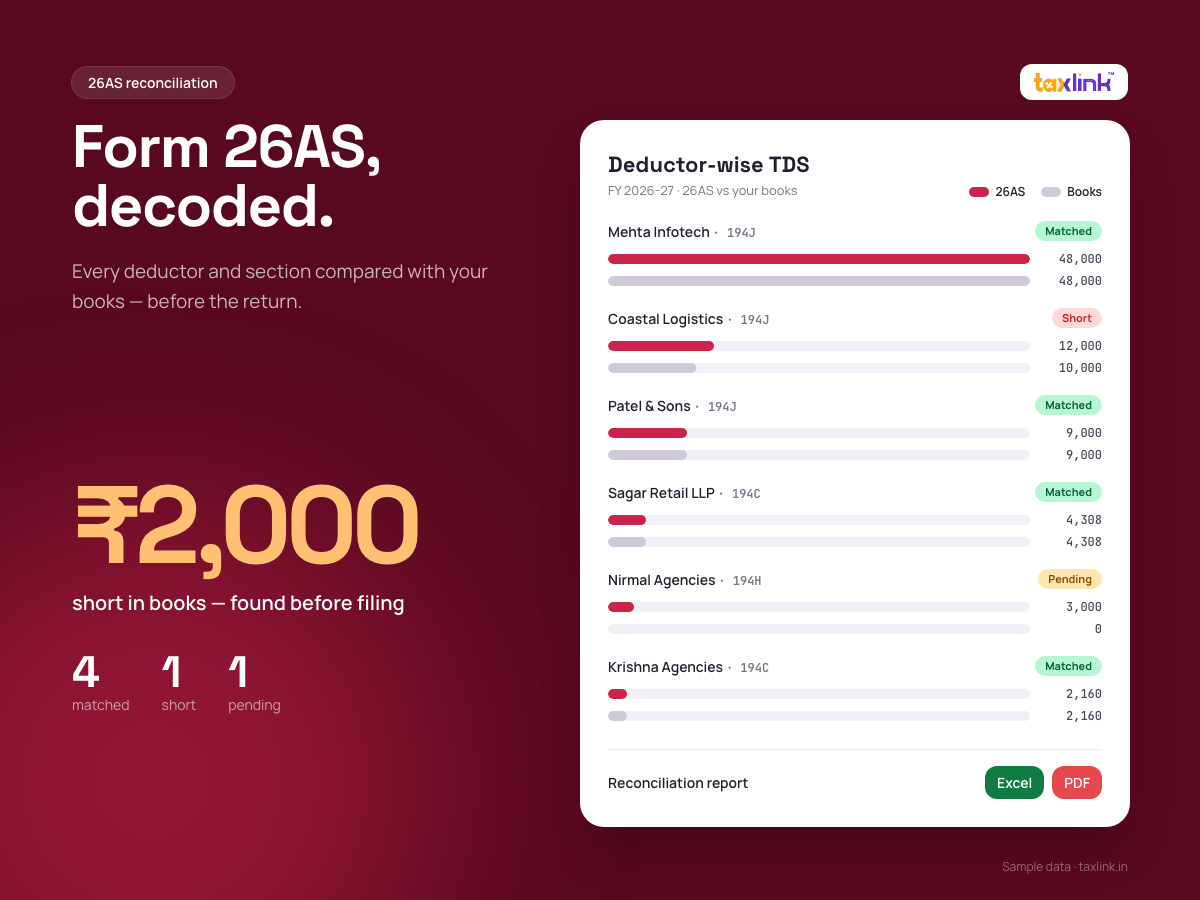
Taxlink imports Form 26AS in PDF or Excel and reconciles TDS deductor by deductor and section by section against your books, flagging mismatches and pending deposits and producing a reconciliation report in Excel or PDF.
CAs match Form 26AS TDS credits against books deductor by deductor before filing 24Q or answering client notices.
Used by CAs + Accountants · ₹8,000 + GST/year with every module · Works with your existing Tally
26AS import
The problem
What this solves for your practice
26AS PDFs and Excel files are wide and easy to misread. Manual matching against payment ledgers takes hours. Taxlink imports 26AS, lines up deductors and sections with your records, and highlights mismatches and pending deposits.
How it works
Three steps, start to finish
- 1
Import 26AS
Upload the PDF or Excel export from the portal.
- 2
Matched with your books
Each deductor and section is compared — matched, mismatched or pending.
- 3
Download the report
A reconciliation in Excel or PDF, ready to send to your client.
Full workflow
From upload to Tally — step by step
- 1
Import Form 26AS
Download Form 26AS from the income-tax portal as PDF or Excel. Upload to Taxlink's 26AS module.
- 2
Map deductors to books
Review deductor name, TAN, and section rows. Taxlink compares amounts paid, tax deducted, and TDS deposited against synced book data.
- 3
Clear mismatches
Investigate rows marked mismatched or pending — often timing, section, or ledger mapping issues.
- 4
Download the reconciliation report
Export Excel or PDF for client files and partner review.
Examples
How firms use this in practice
Salary TDS from multiple employers
Section 192 rows are grouped by deductor so you can tie them to payroll credits in the client's ledger.
Contractor TDS under 194C
Mismatched deposited amount triggers a remark before you sign off on the client's 26AS reconciliation.
Year-end client pack
PDF report attached to working papers showing matched and pending lines per deductor.
Supported inputs
Formats and compatibility
- Form 26AS PDF as downloaded from the portal
- Form 26AS Excel export
- Reconciliation report download in Excel or PDF
Limitations to know
- Reconciliation depends on TDS entries in your books matching 26AS sections and periods.
- Recent credits may show pending until the deductor files and tax is deposited.
- Import parsing may need manual fix if the file is not a standard portal export.
Troubleshooting
Common errors and fixes
What's included
Everything you need for this job
- 26AS import from PDF or Excel
- Deductor name, TAN and section on every line
- Amount paid or credited, tax deducted and TDS deposited
- Matched, mismatched and pending status with remarks
- Reconciliation report download in Excel or PDF
Guides
Related articles
FAQ
Common questions
Close books faster. Serve more clients.
Join CAs + Accountants who turned hours of data entry into minutes of review. Every module, ₹8,000 + GST a year — try it free for 7 days.