
How to Subscribe to Taxlink
Taxlink has one yearly plan: ₹8,000 + GST per year with every module included, covering 5 companies and you plus up to 5 more users. Here is how to subscribe from inside your account.
Before you start
- A registered Taxlink account. If you don't have one yet, follow “Getting Started with Taxlink” first.
Step 1: Log in and open My Plan
Sign in to your Taxlink account and open the plan page.
- Go to the Taxlink login page
- Enter your registered email address and password
- Click "Login" to open your dashboard
- Open Settings, go to the "My Plan" tab and click "Choose Plan"
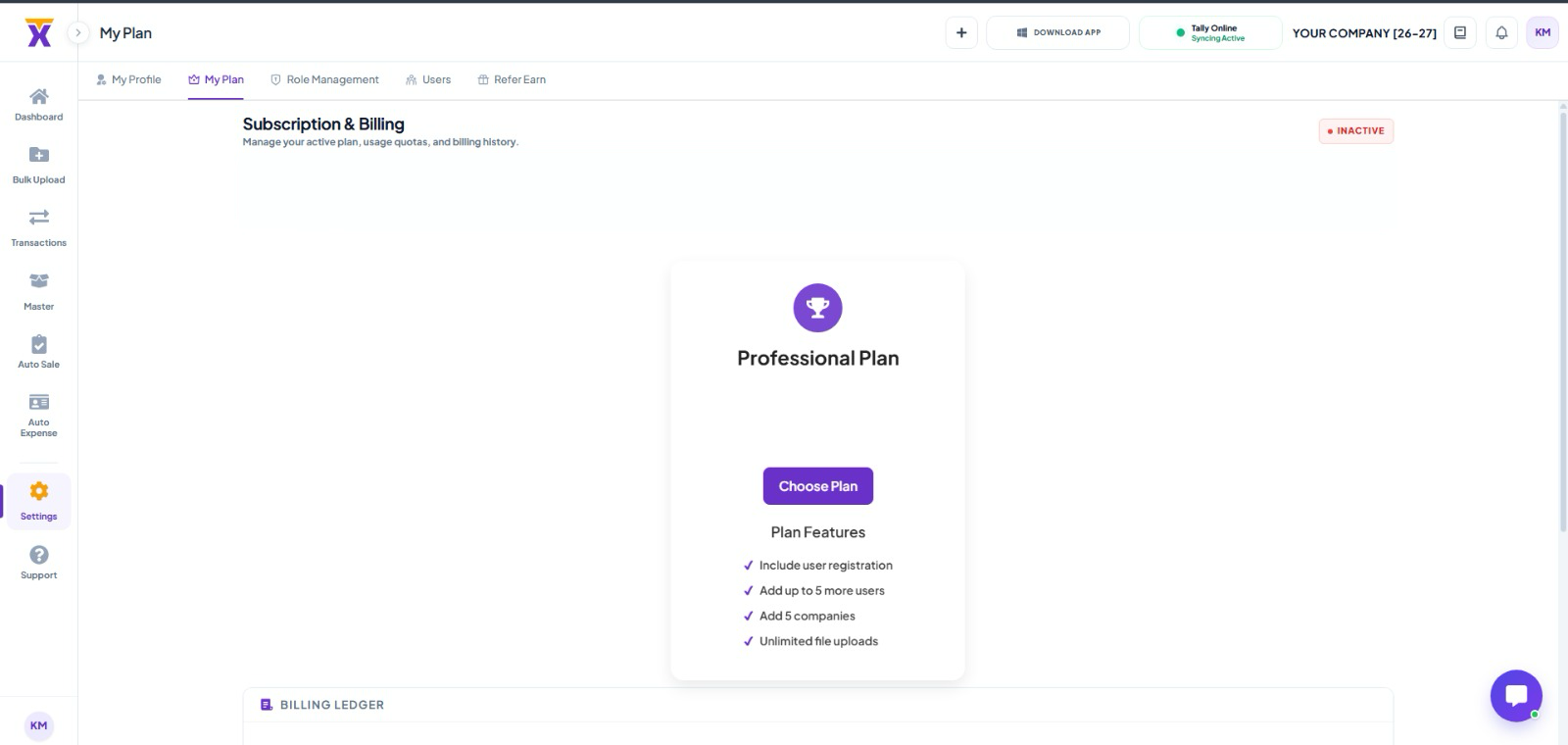
Click the screenshot to open it full size. Screenshots may show an earlier price. The current price is ₹8,000 + GST per year; the amount shown at checkout is what you pay.
Step 2: Fill in your details and proceed to payment
Review the plan on the checkout page, enter your billing details and continue.
- Check the selected plan in the plan details
- Add an expansion pack only if you need more users or companies
- Enter your name, email, phone and billing address (GSTIN is optional)
- Review the plan summary, including GST
- Click "Proceed to Payment"
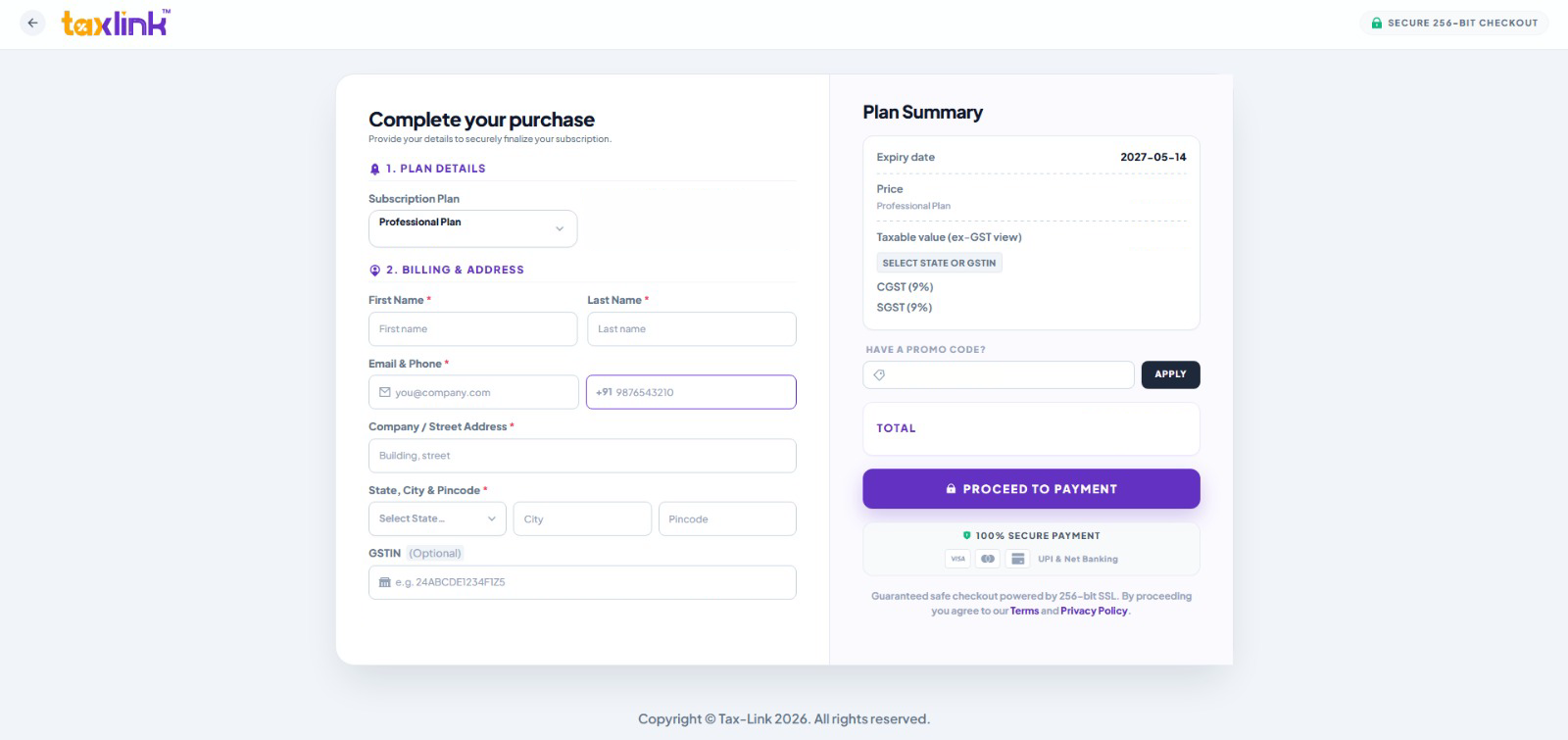
Click the screenshot to open it full size. Step 3: Complete the payment
Pay through the payment gateway to activate your subscription.
- Choose a payment method: card, UPI or net banking
- Enter your payment details
- Check the payment amount
- Complete the payment verification
- You will see a payment confirmation and your plan becomes active
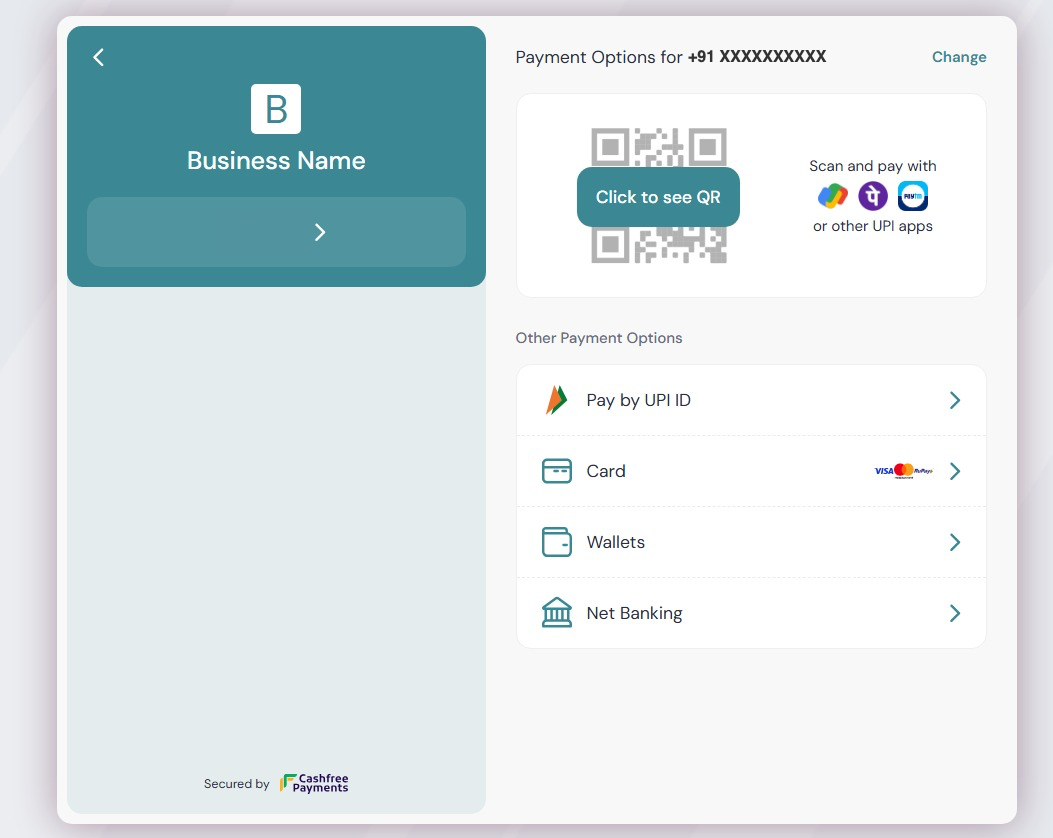
Click the screenshot to open it full size. Payments are processed by the payment gateway. Taxlink does not ask for your card PIN or OTP outside the gateway.
Still stuck?
Email support@taxlink.in or call +91 84848 48833 (Monday to Saturday, 9 AM – 6 PM IST).